Agents OpenApi Actions
How to configure OpenApi Actions in CampusMind Agents.
Written By vendor@royalcyber.com
Last updated 8 months ago
1. Overview
Azure AI Foundry allows agents to securely call external APIs through OpenAPI actions.
Authentication credentials are never stored inside prompts or OpenAPI Schema.
Instead, they are configured using Connected Resources.
2. High‑Level Architecture
Azure AI Agent
↓
OpenAPI Tool Action
↓
Connected Resource injects authentication
↓
External API
Security principle:
Secrets are stored in Azure Connected Resources, not inside the OpenAPI schema or agent instructions.
3. Configuring Connections in Azure for CampusMind
This section explains how to create and use Azure connections inside CampusMind UI.
Step 1 — Create Connection in Azure AI Foundry
Go to Azure Portal → Azure AI Foundry.
Open your Project.
Click Connected Resources.
Select + Add connection.
Choose Custom authentication.
Enter:
Key (e.g.,
X-API-KEY,Authorization, orappid)Secret value
Enable Is Secret.
Provide Connection Name (example:
weather_api_key).Click Create.
Step 2 — Use Connection in Agent Actions
Open the Agent in CampusMind
Navigate to Actions → Agent Tools
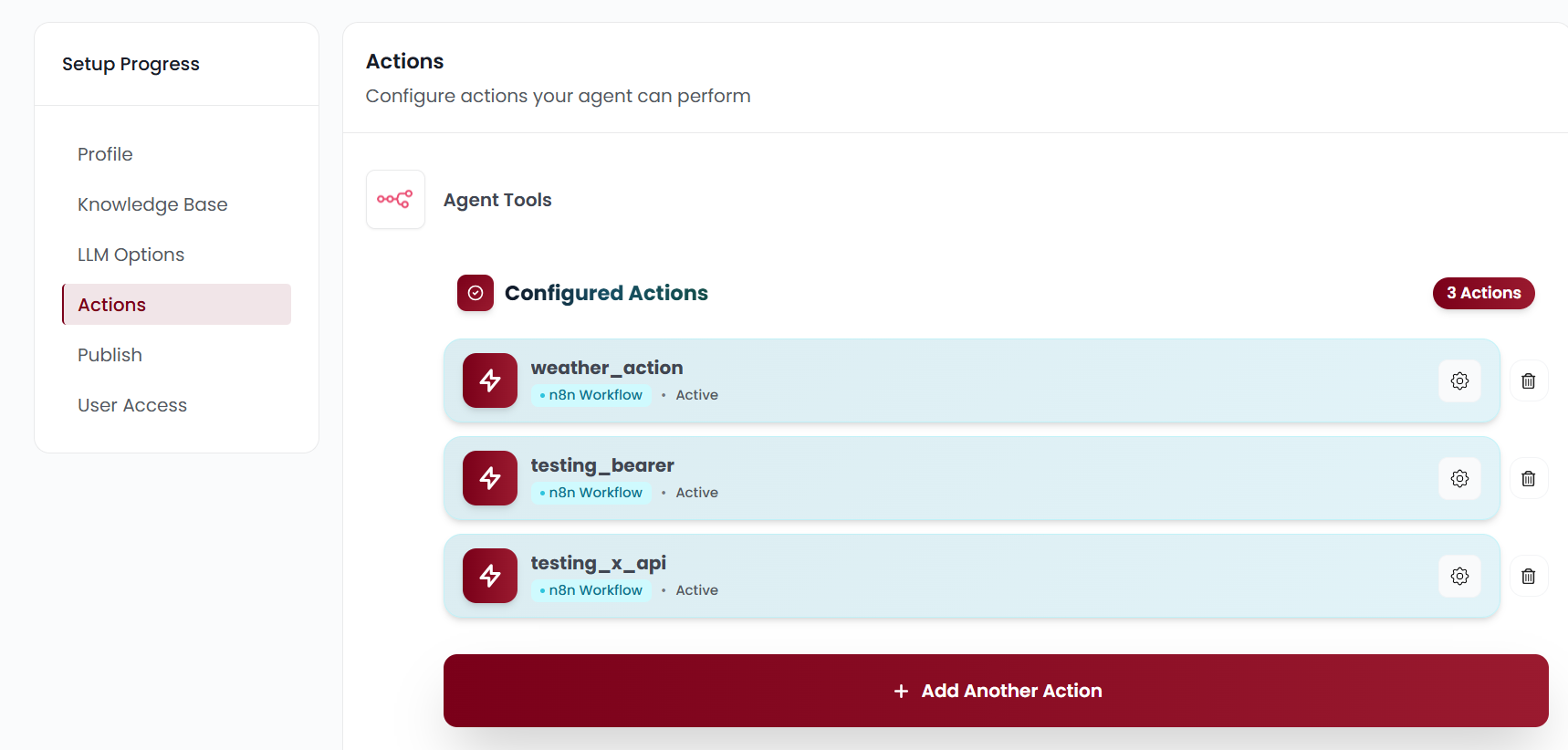
Select the authentication type:
Choose between API Key or None
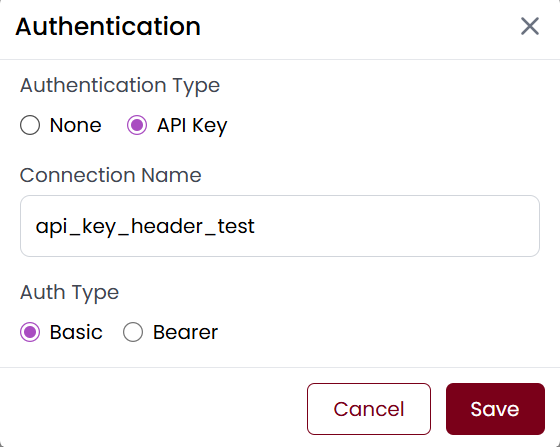
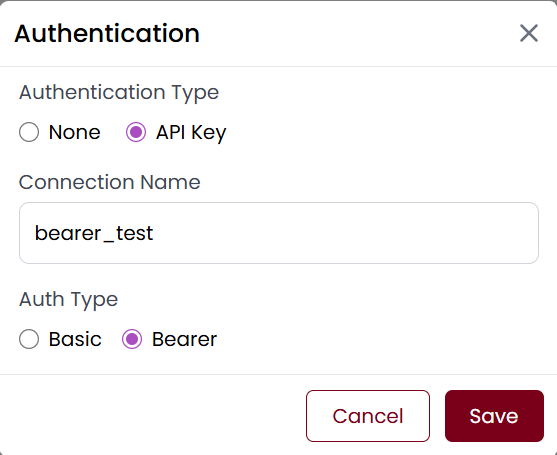
If you select API Key, choose the auth type:
api-key (for API key as header or query parameter)
Bearer (for Bearer token authentication)
Add the connection name you created previously.
Add the OpenAPI schema
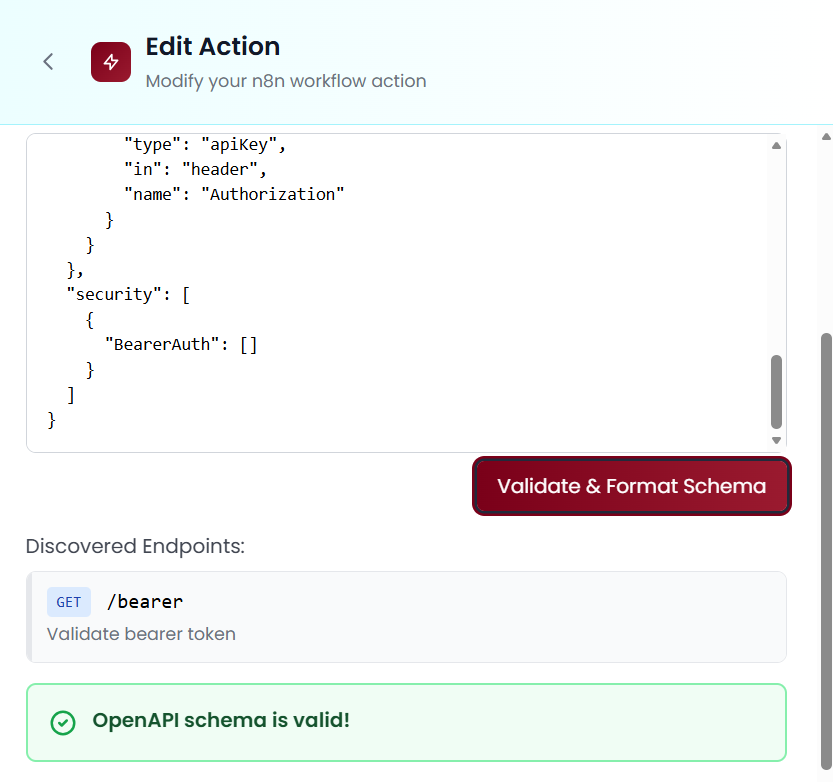
Click Save to save the agent configuration
4. Authentication Method Support Matrix
Example 1 — Query API Key (OpenWeather)
OpenAPI Schema
{
  "openapi": "3.1.0",
  "info": {
    "title": "Weather API",
    "version": "1.0.0",
    "description": "Get current weather information"
  },
  "servers": [
    {
      "url": "https://api.openweathermap.org/data/2.5"
    }
  ],
  "components": {
    "securitySchemes": {
      "apiKeyQuery": {
        "type": "apiKey",
        "in": "query",
        "name": "appid"
      }
    }
  },
  "security": [
    {
      "apiKeyQuery": []
    }
  ],
  "paths": {
    "/weather": {
      "get": {
        "operationId": "getCurrentWeather",
        "summary": "Get current weather",
        "parameters": [
          {
            "name": "q",
            "in": "query",
            "required": true,
            "schema": {
              "type": "string"
            },
            "description": "City name (e.g., London)"
          },
          {
            "name": "units",
            "in": "query",
            "schema": {
              "type": "string",
              "enum": [
                "metric",
                "imperial"
              ],
              "default": "metric"
            }
          }
        ],
        "responses": {
          "200": {
            "description": "OK",
            "content": {
              "application/json": {
                "schema": {
                  "type": "object"
                }
              }
            }
          }
        }
      }
    }
  }
}
Connected Resource Configuration
Authentication type: Custom
Key name:
appidSecret value:
<client API key>Connection name:
weather_api_key
Azure injects automatically:
?appid=******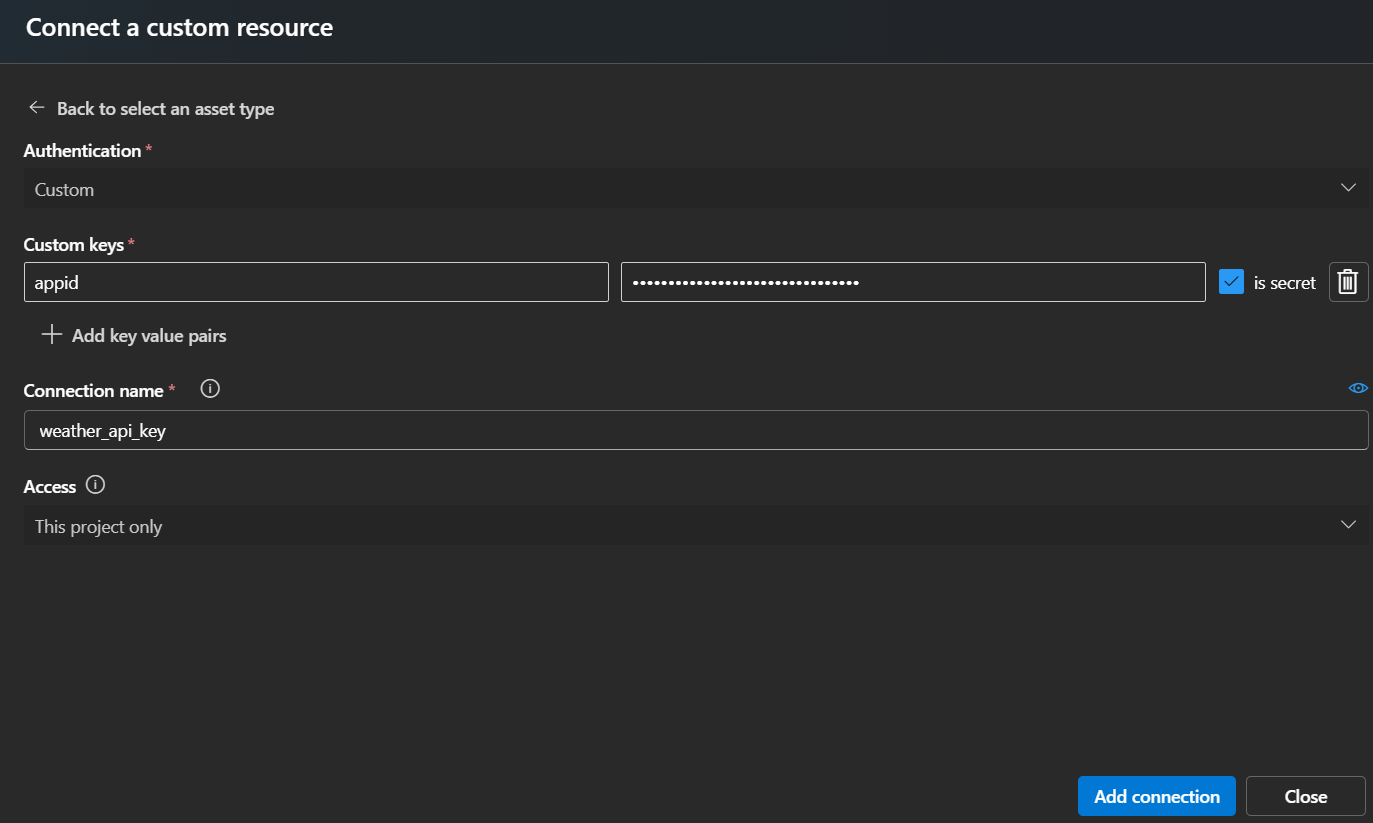
Example 2 — Custom Header API Key
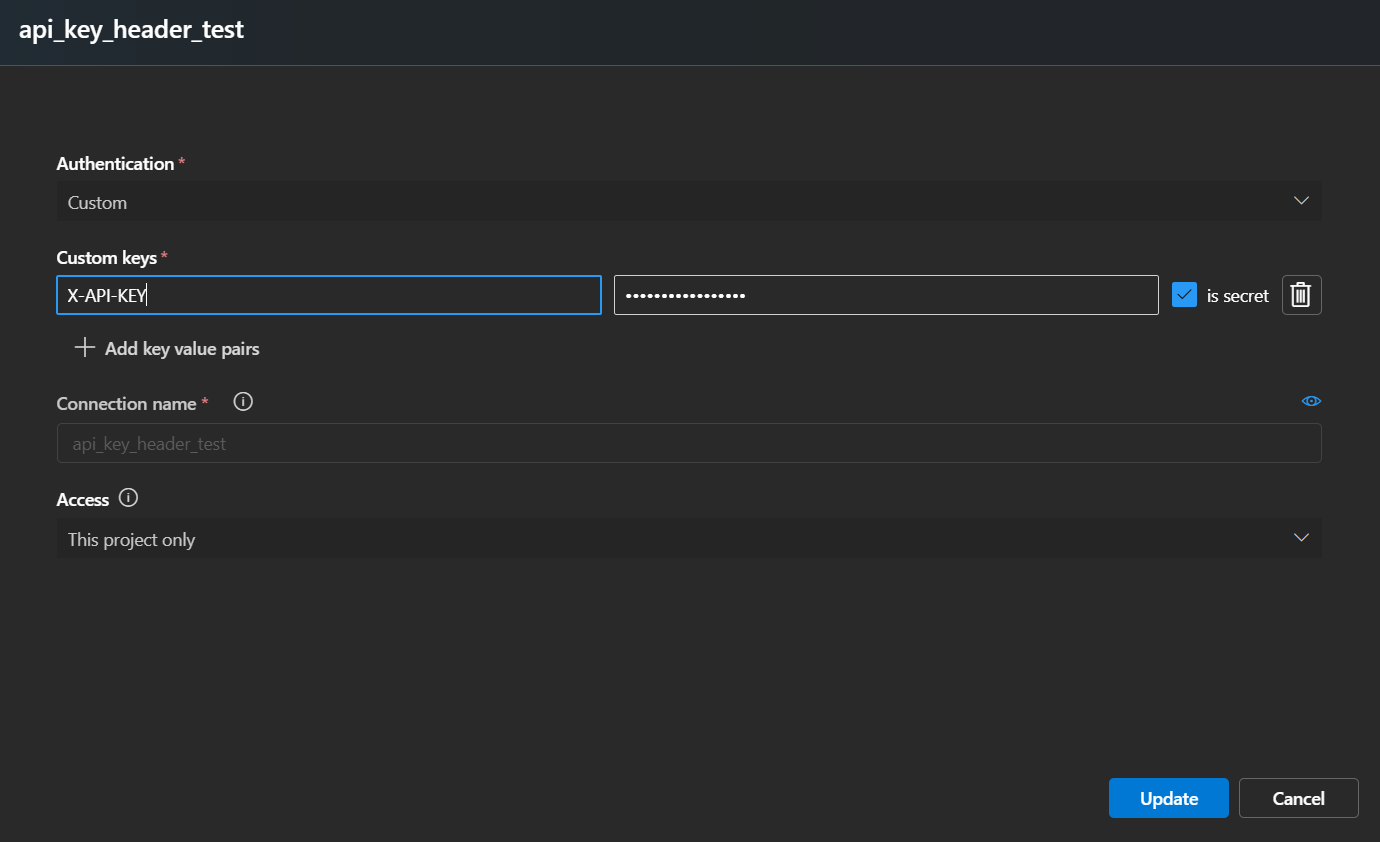
While configuration in agents select authentication type api-key and select type as api key as well.
OpenAPI Schema:
{
  "openapi": "3.0.1",
  "info": {
    "title": "API Key Header Test",
    "version": "1.0.0"
  },
  "servers": [
    {
      "url": "https://httpbin.org"
    }
  ],
  "paths": {
    "/headers": {
      "get": {
        "operationId": "testApiKeyHeader",
        "summary": "Validate API key header injection",
        "responses": {
          "200": {
            "description": "Success",
            "content": {
              "application/json": {
                "schema": {
                  "type": "object"
                }
              }
            }
          }
        },
        "__originalOperationId": "testApiKeyHeader",
        "security": [
          {
            "ApiKeyHeader": []
          }
        ]
      }
    }
  },
  "components": {
    "securitySchemes": {
      "ApiKeyHeader": {
        "type": "apiKey",
        "in": "header",
        "name": "X-API-KEY"
      }
    }
  },
  "security": [
    {
      "ApiKeyHeader": []
    }
  ]
}
Connected Resource Configuration
Key: X-API-KEY Value: my-secret-key-123
Is secret: ✔
Connection name: api_key_header_test
Access: This project only
Example 3 — Bearer Access Token
OpenApi Schema Example:
{
  "openapi": "3.0.1",
  "info": {
    "title": "Bearer Token Test API",
    "version": "1.0.0"
  },
  "servers": [
    {
      "url": "https://httpbin.org"
    }
  ],
  "paths": {
    "/bearer": {
      "get": {
        "operationId": "testBearerAuth",
        "summary": "Validate bearer token",
        "responses": {
          "200": {
            "description": "Success"
          }
        },
        "__originalOperationId": "testBearerAuth",
        "security": [
          {
            "BearerAuth": []
          }
        ]
      }
    }
  },
  "components": {
    "securitySchemes": {
      "BearerAuth": {
        "type": "apiKey",
        "in": "header",
        "name": "Authorization"
      }
    }
  },
  "security": [
    {
      "BearerAuth": []
    }
  ]
}
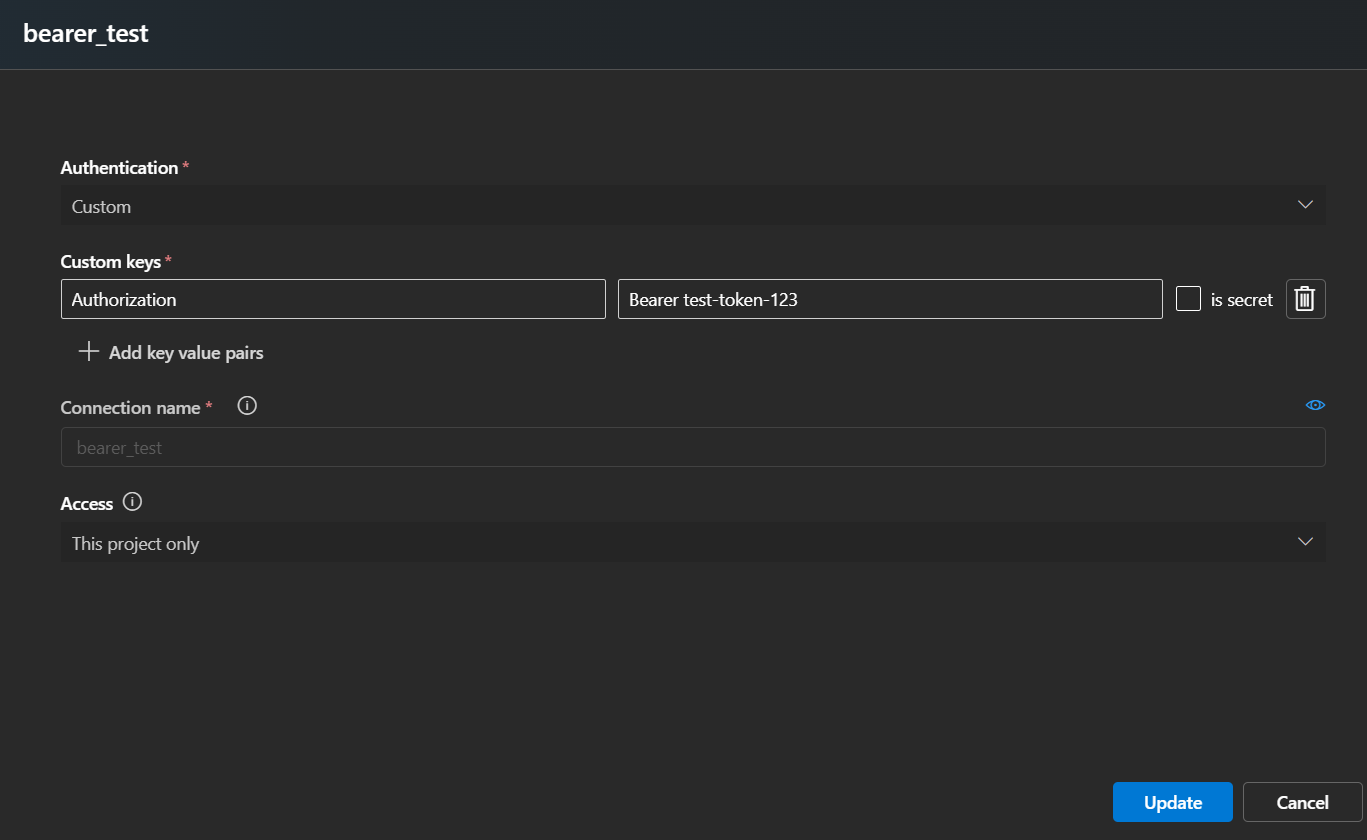
Azure Agent Injects:
Authorization: Bearer test-token-123Connected Resource Configuration
Authentication type: Custom
Key name:
AuthorizationSecret value:
Bearer <token>Connection name:
bearer_test
Example 4 — OpenAPI Without Authentication (Public API)
We’ll use a public httpbin endpoint that requires no headers or keys:
GET https://httpbin.org/get This simply returns request details.
OpenApi Schema:
{
  "openapi": "3.0.1",
  "info": {
    "title": "Public Test API",
    "version": "1.0.0"
  },
  "servers": [
    {
      "url": "https://httpbin.org"
    }
  ],
  "paths": {
    "/get": {
      "get": {
        "operationId": "testPublicEndpoint",
        "summary": "Call public endpoint without authentication",
        "responses": {
          "200": {
            "description": "Success",
            "content": {
              "application/json": {
                "schema": {
                  "type": "object"
                }
              }
            }
          }
        }
      }
    }
  }
}
When adding this OpenAPI action:
Do NOT select any Connected Resource
Leave authentication = None
Save the action and test in Agent Playground
8. Summary
CampusMind Agents Actions supports all major API authentication patterns required by enterprise clients:
API keys (header or query)
Bearer access tokens
Was this helpful?
Still need help? Share an idea